

Overview
The Agentic RAG node provides intelligent retrieval by:- Autonomous retrieval — Agent decides the best way to find relevant information
- Context-aware processing — Adapts retrieval strategy based on query context
- Source grounding — Returns references to source documents
- Zero configuration — Works out of the box with no setup required
Agentic RAG is the simplest RAG node to set up — it requires no configuration and handles document processing automatically.
When to Use Agentic RAG
| Scenario | Recommendation |
|---|---|
| Simplest setup | ✅ Recommended — No configuration needed |
| Adaptive retrieval | ✅ Recommended — Agent optimizes retrieval strategy |
| Quick prototyping | ✅ Recommended — Get started immediately |
| Custom chunking control | ❌ Use Smart RAG or Chunking + Retrieval |
| Fine-tuned embedding models | ❌ Use Chunking + Retrieval |
Using the Agentic RAG Node
Adding the Agentic RAG Node
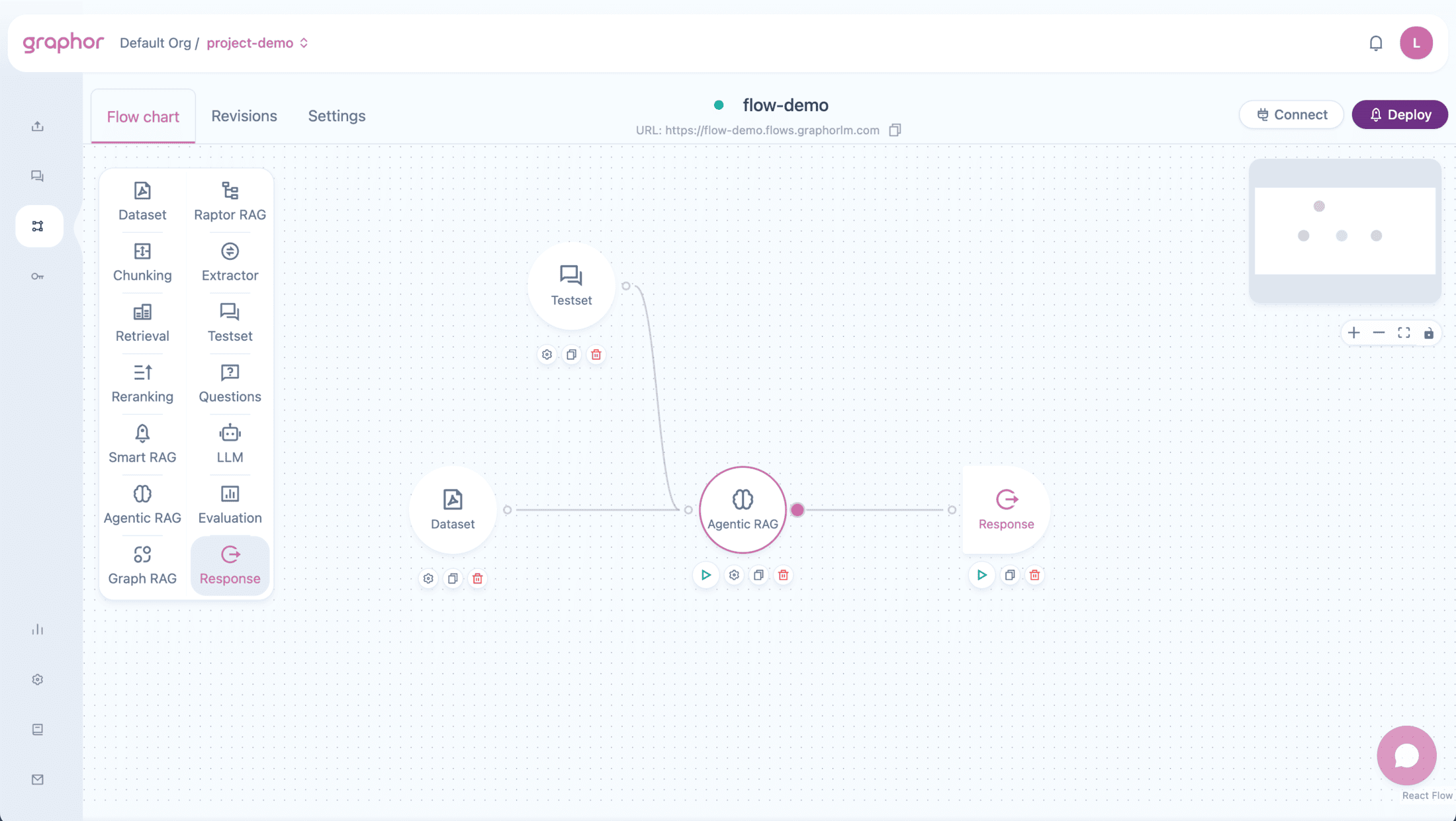
- Open your flow in the Flow Builder
- Drag the Agentic RAG node from the sidebar onto the canvas
- Connect your Dataset node to Agentic RAG
- Connect a Question or Testset node for queries
- Double-click the Agentic RAG node to view settings
Input Connections
The Agentic RAG node accepts input from:| Source Node | Purpose |
|---|---|
| Dataset | Required — Provides documents to process |
| Question | Provides queries for retrieval (simulation/testing) |
| Testset | Provides multiple queries for comprehensive testing |
Output Connections
The Agentic RAG node can connect to:| Target Node | Use Case |
|---|---|
| Reranking | Further improve result quality with LLM-based scoring |
| LLM | Generate natural language responses |
| Analysis | Evaluate retrieval performance |
| Response | Output retrieved results directly |
Configuration
The Agentic RAG node has no configurable parameters — it works out of the box with optimized default settings, making it the simplest RAG node to set up.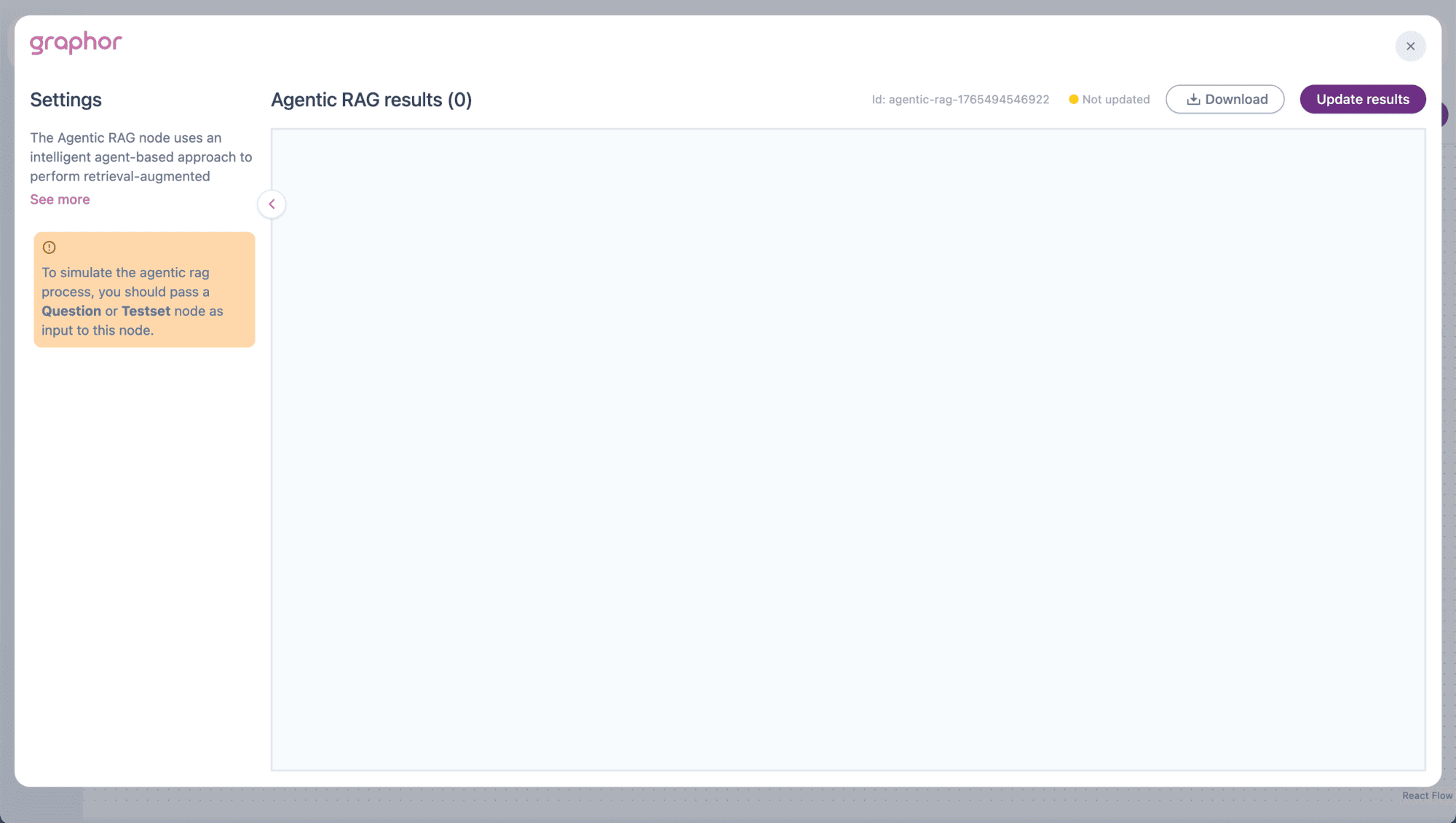
How Agentic RAG Works
Processing Flow
- Document Processing — Documents from Dataset are automatically processed
- Query Analysis — The agent analyzes the user query
- Autonomous Retrieval — Agent decides the best retrieval strategy
- Source Grounding — Results include source references
- Response — Retrieved chunks are returned with metadata
Key Differences from Other RAG Nodes
| Aspect | Agentic RAG | Smart RAG | Chunking + Retrieval |
|---|---|---|---|
| Chunking | Automatic | Local (title-based) | Local (configurable) |
| Configuration | None | Limited | Full control |
| Setup time | Fastest | Fast | Longer |
| Embedding model | Automatic | text-embedding-3-small | Multiple options |
Pipeline Examples
Simple Agentic RAG Pipeline
Dataset → Agentic RAG → LLM → Response ← Question Best for: Quickest setup with intelligent retrieval.Agentic RAG with Reranking
Dataset → Agentic RAG → Reranking → LLM → Response ← Question Best for: Enhanced precision through additional LLM-based scoring.Agentic RAG Evaluation Pipeline
Dataset → Agentic RAG → Analysis ← Testset Best for: Evaluating retrieval quality across multiple questions.Viewing Results
After running the pipeline (click Update Results):- Results show documents grouped by question
- Each result displays:
- Question — The query being answered
- Content — Retrieved text
- Score — Relevance score
- File name — Source document
JSON View
Toggle JSON to see the raw result structure:Agentic RAG vs. Smart RAG
| Feature | Agentic RAG | Smart RAG |
|---|---|---|
| Complexity | Simplest | Simple |
| Configuration | None | Top K, metadata options |
| Document processing | Automatic | Title-based chunking |
| Embedding control | No | No (fixed model) |
| Best for | Quick start, zero config | More control over retrieval |
- You want the simplest possible setup
- You don’t need fine-grained control
- You want agent-based adaptive retrieval
- You need metadata/annotation options
- You want Top K control
- You need title-based chunking
Best Practices
- Ensure documents are parsed — Agentic RAG uses the active parsing version from your sources
- Use clear questions — Well-formed queries help the agent retrieve better results
- Test with Testsets — Evaluate performance across diverse questions before deployment
- Consider Reranking — Add a Reranking node if precision is critical
- Check source files — Verify retrieved content comes from expected documents
Troubleshooting
No results showing
No results showing
If Agentic RAG returns no results:
- Verify a Question or Testset node is connected
- Check that Dataset contains processed documents
- Ensure documents have status “Processed”
Poor retrieval quality
Poor retrieval quality
If results aren’t relevant:
- Improve document parsing quality
- Rephrase questions to be more specific
- Consider using Smart RAG for more control
- Add Reranking node for better scoring
Slow processing
Slow processing
If Agentic RAG is slow:
- Reduce number of documents in Dataset
- Simplify query complexity
- Consider using Smart RAG if you need faster local processing
Next Steps
Smart RAG
More configurable RAG with local processing
Dataset
Configure document selection for Agentic RAG
Reranking
Add LLM-based reranking for better results
Evaluation
Measure retrieval quality with metrics