


Overview
The Reranking node enhances your RAG pipeline by:- Receiving retrieved documents — Takes results from Retrieval or RAG nodes
- Scoring relevance — Uses LLM to evaluate how relevant each document is to the query
- Reordering results — Sorts documents by relevance score (highest first)
- Filtering top results — Returns only the top-K most relevant documents
Reranking is particularly useful when initial retrieval returns many results of varying quality. The LLM-based scoring provides a more nuanced relevance assessment than vector similarity alone.
When to Use Reranking
| Scenario | Recommendation |
|---|---|
| High Top-K retrieval (10+) | ✅ Recommended — Filter down to most relevant |
| Complex queries | ✅ Recommended — LLM better understands nuanced relevance |
| Domain-specific content | ✅ Recommended — LLM can assess semantic relevance |
| Simple keyword queries | ⚠️ Optional — Vector similarity may be sufficient |
| Low latency requirements | ⚠️ Consider tradeoffs — Adds LLM calls |
Using the Reranking Node
Adding the Reranking Node
- Open your flow in the Flow Builder
- Drag the Reranking node from the sidebar onto the canvas
- Connect a retrieval node to the Reranking input
- Double-click the Reranking node to configure
Input Connections
The Reranking node accepts input from:| Source Node | Use Case |
|---|---|
| Retrieval | Rerank results from standard vector retrieval |
| Smart RAG | Rerank results from Smart RAG |
| Agentic RAG | Rerank results from Agentic RAG |
| Graph RAG | Rerank results from Graph RAG |
| Raptor RAG | Rerank results from Raptor RAG |
Output Connections
The Reranking node can connect to:| Target Node | Use Case |
|---|---|
| LLM | Generate responses using reranked context |
| Analysis | Evaluate pipeline performance |
| Response | Output reranked results directly |
Configuring the Reranking Node
Double-click the Reranking node to open the configuration panel: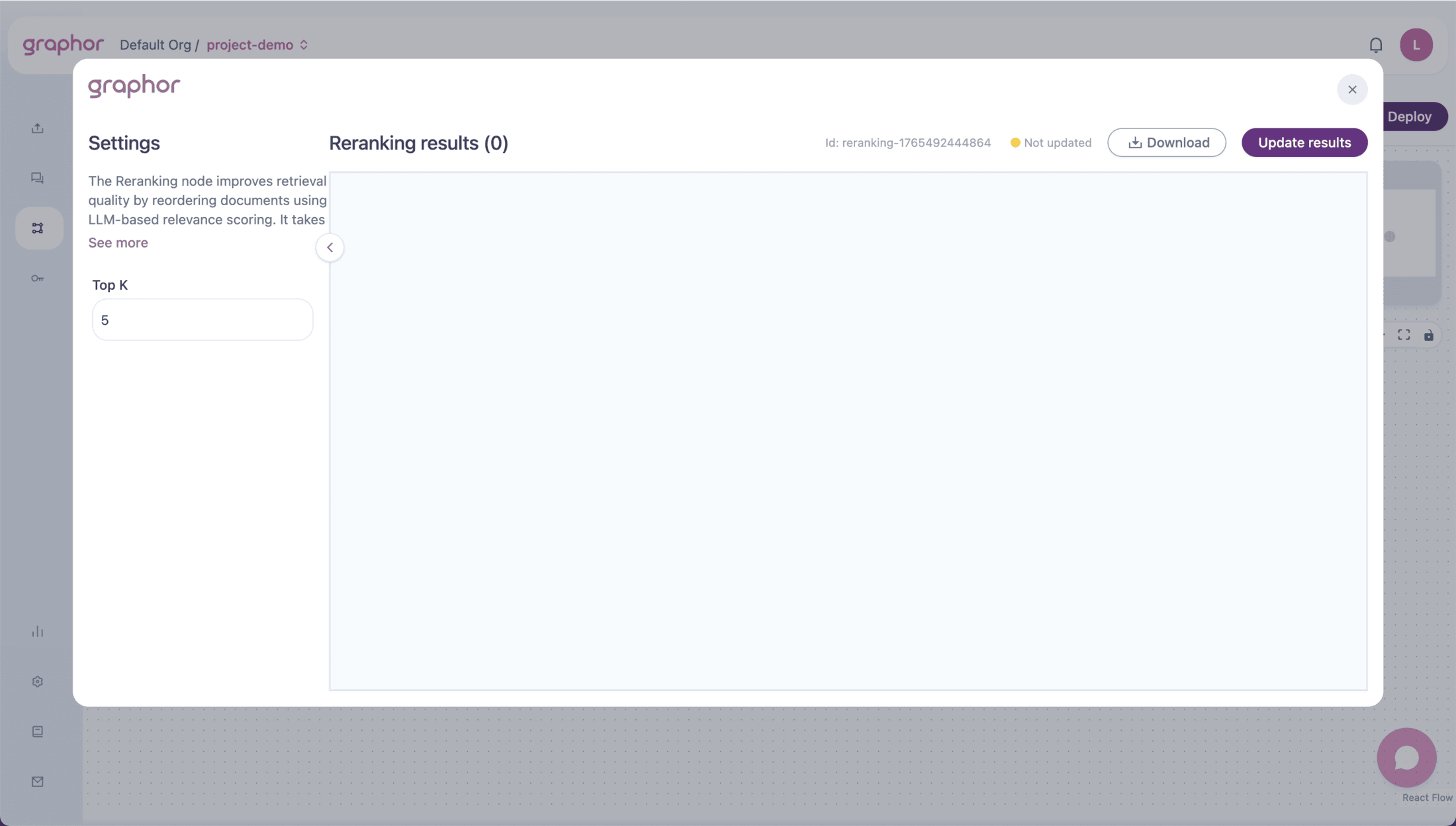
Top K
The number of documents to return after reranking:| Value | Use Case |
|---|---|
| 1-3 | When you need only the most relevant result |
| 4-6 | Balanced approach for most Q&A applications |
| 7-10 | When broader context is needed |
| 10+ | Comprehensive coverage, higher token usage |
How Reranking Works
Scoring Process
- Document Preparation — Each retrieved document is formatted for LLM evaluation
- Relevance Assessment — LLM scores each document’s relevance to the query (0.0 to 1.0)
- Token Management — Large documents are intelligently truncated to fit model context
- Parallel Processing — Documents are scored in parallel for efficiency
Metadata Added
After reranking, each document includes additional metadata:| Field | Description |
|---|---|
rerank_score | Relevance score from 0.0 (irrelevant) to 1.0 (highly relevant) |
rerank_position | New position after reranking (1 = most relevant) |
original_score | Original retrieval score for comparison |
Pipeline Examples
Standard Reranking Pipeline
Evaluation Pipeline with Reranking
Smart RAG with Reranking
Viewing Results
After running the pipeline (click Update Results):- Results show documents grouped by question
- Each document displays:
- Question — The query being answered
- Content — Document text
- Rerank Score — LLM-assigned relevance score
- Rerank Position — New ranking position
- Original metadata — File name, page number, etc.
JSON View
Toggle JSON to see the raw result structure:Performance Considerations
Latency Impact
Reranking adds LLM calls to your pipeline:| Documents | Approximate Additional Time |
|---|---|
| 5 | ~1-2 seconds |
| 10 | ~2-4 seconds |
| 20 | ~4-8 seconds |
Documents are scored in parallel batches, so the relationship isn’t strictly linear. Actual times depend on document size and LLM response time.
Token Usage
Each document requires tokens for:- Query text
- Document content (truncated if needed)
- Scoring prompt template
Optimization Tips
- Reduce retrieval Top-K — Retrieve fewer documents to rerank
- Use efficient chunking — Smaller chunks = faster scoring
- Balance quality vs. speed — Not all pipelines need reranking
Best Practices
- Use with high Top-K retrieval — Reranking adds most value when filtering many results
- Position before LLM — Rerank first, then generate responses with better context
- Monitor scores — Low rerank scores across the board may indicate retrieval issues
- Compare with/without — Use Analysis node to measure the impact of reranking
Troubleshooting
Reranking is slow
Reranking is slow
To improve performance:
- Reduce Top-K in the upstream Retrieval node
- Use smaller chunk sizes in Chunking
- Consider if reranking is necessary for your use case
All documents have similar scores
All documents have similar scores
If scores cluster together:
- Query may be too broad or vague
- Documents may all be equally relevant
- Check if retrieval is returning appropriate content
Good documents getting low scores
Good documents getting low scores
If relevant documents score poorly:
- Verify chunking preserves semantic meaning
- Check if documents are being truncated too aggressively
- Review the query phrasing
Reranking fails with errors
Reranking fails with errors
If seeing errors:
- Check LLM API connectivity
- Verify API tokens are valid
- The node has built-in retries; persistent failures indicate infrastructure issues
Next Steps
Retrieval
Configure the retrieval node that feeds into Reranking
LLM
Generate responses using reranked context
Evaluation
Measure the impact of reranking on pipeline quality
RAG Quickstart
Build a complete RAG pipeline from scratch